Xishu IME 1.1.8 was published on GitHub at 08:09 Beijing time on 23 October. iOS 1.1.8 (64) is also live on the App Store. This version concentrates on three improvements. Input settings are rearranged by what a schema can actually do, and they are saved per schema. The iOS and Android keyboards share a bottom bar and the same Shift behavior. macOS, Windows, and Linux fix a batch of everyday problems.
A close view of typing on a phone’s touch keyboard. An AI-generated schematic, not the actual Xishu IME interface.
Schema preferences on five platforms
The settings page on all five platforms now reads the switches the current schema can actually use. It offers only options that schema really supports, and it saves preferences separately by schema. The most direct change for a Wubi user is that “commit when four codes are unique” and “the fifth code pushes the character up” are split into two independent settings. Either one can be turned on alone. In Wubi, the first usually means that a full four-code input with only one candidate commits automatically. The second means that typing a fifth code first commits the current first choice and then starts the next character. The release notes also say that existing schemas, external patches, and personal data are kept.
The iOS and Android keyboards
This mobile release uses the new iOS version as the alignment baseline. On iOS, the ordinary nine-key and 26-key layouts use the same bottom bar. Keycaps, the type, and the system-container background are adjusted together. Shift on the ordinary keyboard becomes three uses: one tap capitalizes only the next letter, and a double tap or a long press locks capitals. The chord keyboard still keeps its previous continuous-capitals switch. Swipe-up input, keyboard height, and the numeric nine-grid remain optional.
The Android keyboard is aligned with iOS on the ordinary bottom bar, the default wide space bar, the type, and flat key feedback. Shift also changes to the same single-capital and lock behavior. If you had actively chosen the old narrow space-bar layout, it is kept after the upgrade. Emoji can now be entered from the keyboard options. This version also includes the merged TYPE_NULL chat-field fix. That kind of field does not declare a concrete text type to the input method. Some chat applications use it.
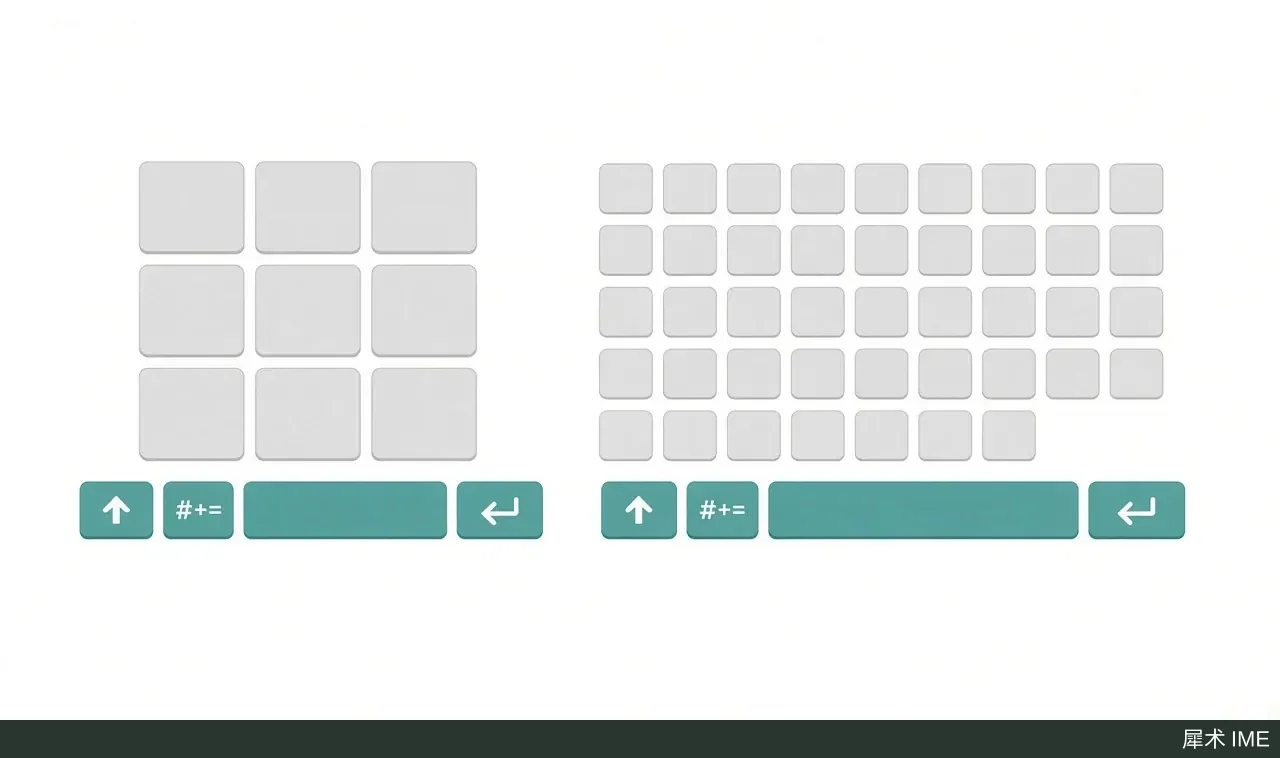
A layout schematic of the nine-key and 26-key keyboards sharing one bottom bar. An AI-generated schematic, not the actual Xishu IME interface.
macOS, Windows, and Linux
On macOS, Capsule now reuses a hidden card, so opening it again responds faster. The Buffer’s first positioning uses the actual height. The settings window can be closed with a shortcut. Permission guidance is gathered into a queued prompt. Translation checks installed language packs first. When a download is needed, you start it yourself in settings.
Windows takes in the schema preferences and includes three merged fixes: the settings page refreshes only when the content changes, state that is being edited is kept, and the official plugin’s history control is fixed. Linux likewise takes in this round of schema preferences and the merged fixes. The release notes also name problems that are not counted as solved. Long-running stalls on iOS, reports of Linux living alongside other input methods, and acceptance of a particular Windows system-search host still lack evidence that locates them. New dictionary and phrase features remain postponed.
Download and upgrade
| Platform | Package / channel | Note |
|---|---|---|
| macOS (Apple Silicon / Intel) | RIMES-1.1.8.pkg |
Developer ID signed and notarized by Apple |
| Windows (x64 systems, including x64 / x86 TSF) | RIMES-Windows-1.1.8-Setup.exe |
Currently unsigned |
| Android | RIMES-Android-1.1.8.apk |
Keeps the existing long-term signature, so data can be kept across the upgrade. The AAB is only for store distribution |
| Linux (Ubuntu 24.04 amd64) | fcitx5-rimes_1.1.8_amd64.deb |
Other distributions have to be confirmed separately |
| iOS, Apple channel | App Store 1.1.8 (64) | Live. External TestFlight testing still waits for a separate review |
| iOS, community package | XSIME-1.1.8-64-ios-unsigned.ipa |
Unsigned. The main app and the keyboard extension have to be signed separately |
On macOS, Windows, Android, and Linux, updates can be checked, downloaded, and opened into the system install flow directly from settings. The download checks the version, the size, and the SHA-256. After installation, open the application again and confirm the version. The packages can also be downloaded by hand from the GitHub release page. On iOS, update through the App Store. The GitHub release and Apple’s review are two independent channels. Their progress does not have to match. After the release, main also merged a fix for the iOS shared Keychain access group (#276, #277) and set the iOS version number to 1.1.9 (65) in preparation for the Apple channel. As of that merge, it had not been released.
References
-
scholay/xsime. Xishu IME / XSIME 1.1.8. GitHub Release, 2026-10-23.
-
scholay/xsime. Xishu IME / XSIME 1.1.8 release notes (docs/releases/1.1.8.md).
-
scholay/xsime. fix(ios): preserve shared Keychain group through unsigned archives (#276). 2026-10-23.
-
scholay/xsime. fix(ios): prepare 1.1.9 Keychain repair for Apple distribution (#277). 2026-10-23.
-
Compiled and published by Scholay. For a takedown request, send feedback.
-
Also published at Enter Scholar.