This round of alignment on Windows sits on the parts of input a person meets most often: paging candidates and choosing them by number, Buffer shortcuts and feedback while waiting, Capsule’s rich clipboard, and what can be done with a thumbnail after a screenshot. The changes of 23–24 October are in PR #279. As of 26 October they were still an unmerged draft, with no public release. What follows is the progress on the development branch, and the limit of what was verified.
1
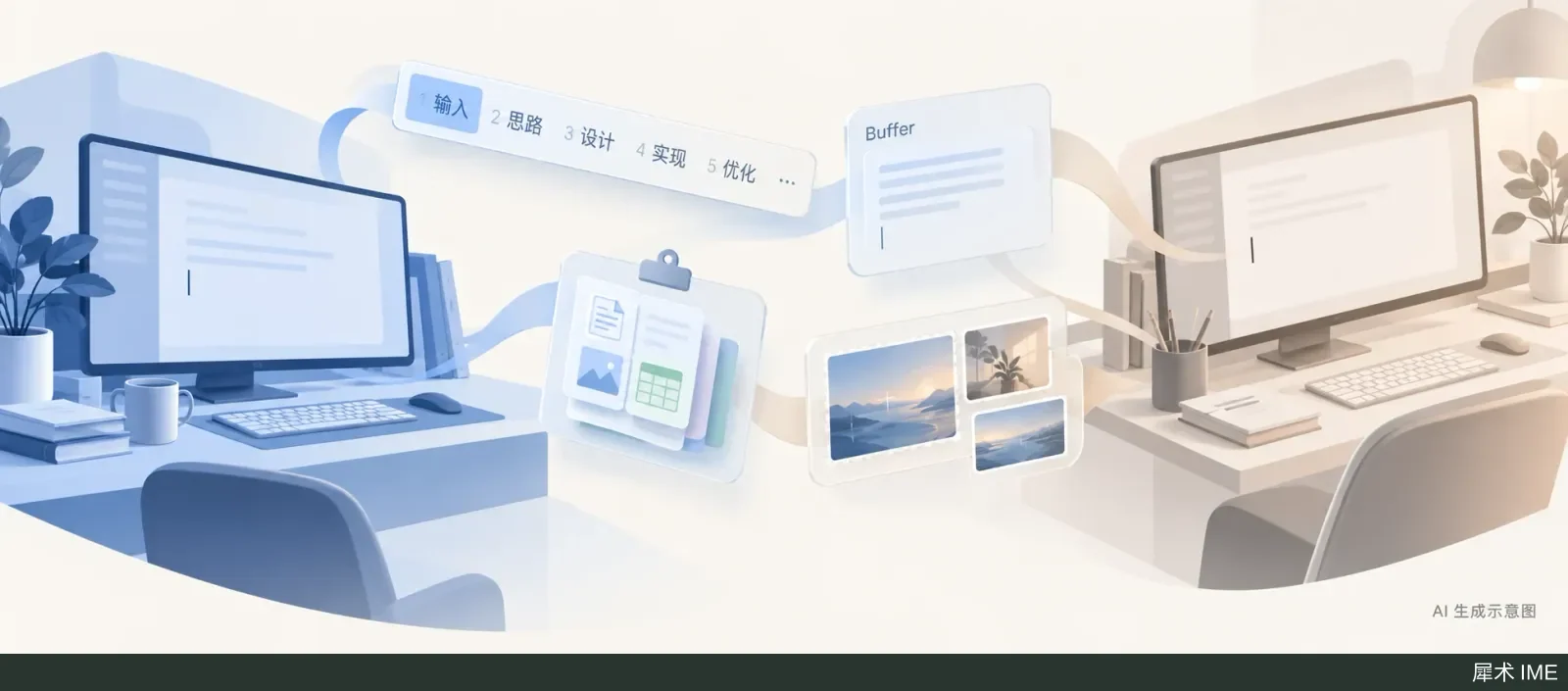
The candidate window has to follow the right place first. PR #279 puts the candidate anchor back at the start of the composition and limits the bounds of the visible subpage, so that the number keys match the candidates actually on screen. Paging also follows the key bindings of the input schema itself, including a compatibility path for older TSF hosts that are already loaded. For someone using it, the aim can be read this way: while composing, moving the insertion point, or paging, the position of the candidates and the number selection still match the page in front of you.
The Buffer changes are concentrated on calling it and on waiting. Registering and saving the global shortcut are one transaction, and a failure keeps the old keys. The window gains options for aligning to a target, for whether to clear when switching applications, and for moving to the current screen. Clearing on an application switch is off by default, and content from an outside source is not deleted with the switch. The check that AI is available moves off the input thread and the interface thread. When it is unavailable, the next step is explained. A request in progress shows how many seconds it has already waited.
These changes start from keeping preferences that already exist. The defaults of a newly created configuration must not be treated as a reset of an existing user’s settings. The above is a description of behavior on the draft branch and of situations of use. This round did not run an install or an interactive acceptance test.
2
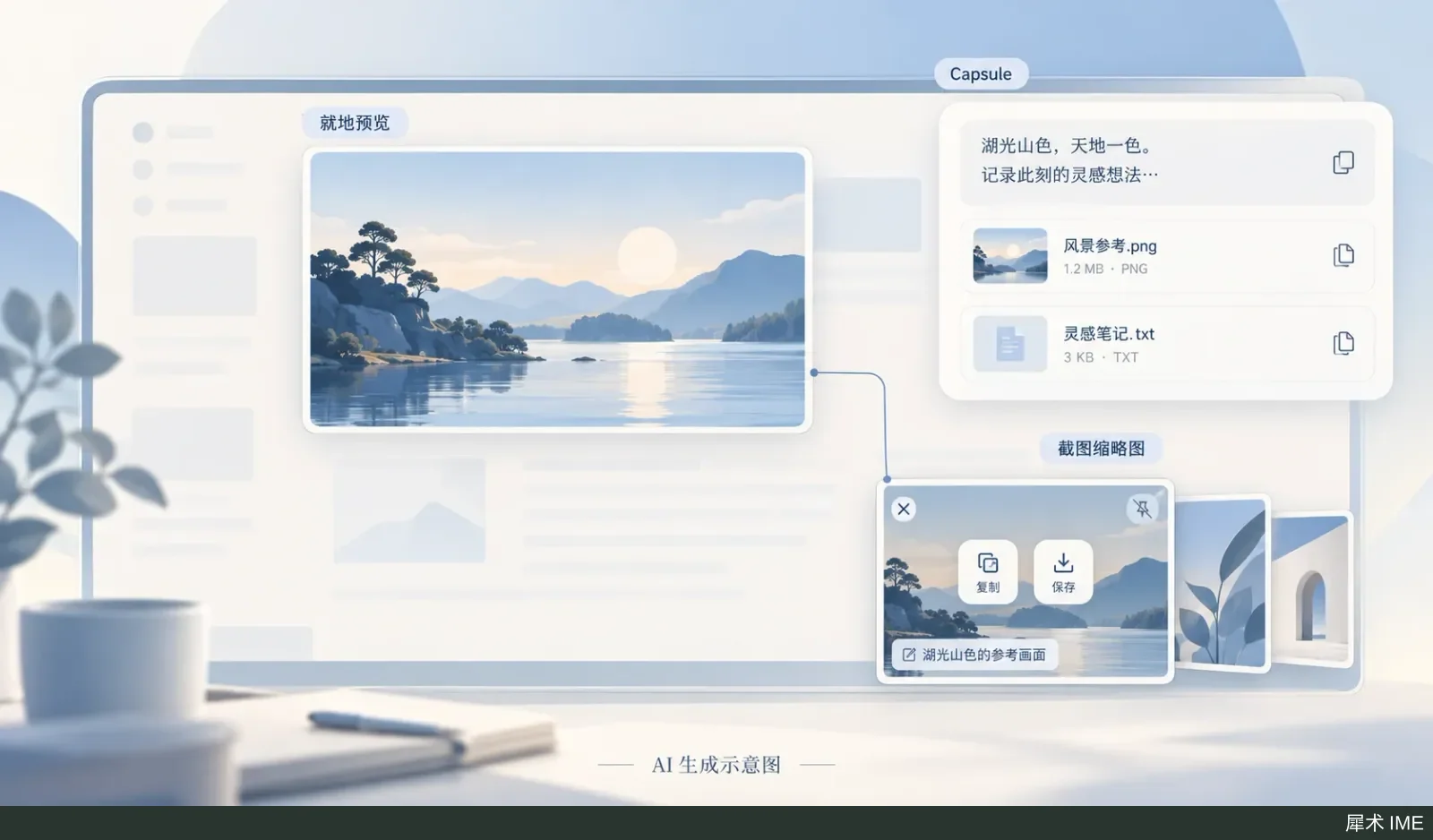
What Capsule is concerned with this time is whether copied content can still stay as it was in later operations. The implementation keeps supported text, HTML, RTF, and image representations, and an ordered group of files. Editing the title or summary of a file-group card keeps the attachments. The attachment type and the body preview stay read-only. The related resources are brought into reference tracking and cleanup, and older entries can still be read. Restoring the clipboard and pasting also checks the publication sequence and the target, so that a concurrent copy is not mistaken for the current card.
On interaction, the change corrects hit testing and the cancellation of a momentary activation. When a card on the main track is hovered, only the area of the copy icon is redrawn, which reduces interference with the preview and the text.
Screenshot results change from the old three-line panel to separate thumbnails, sized toward the macOS ones, with the newest close to the bottom corner of the screen. A thumbnail shows the whole screenshot in proportion, and controls appear on hover. Records that do not fit stay kept, and earlier cards flow back after a card is closed. After an edit, the preview updates in place. A successful copy closes the matching floating layer. A failure keeps it so it can be tried again, and export also keeps the card. Dragging offers copy only. It does not move a managed resource, and it does not rewrite the clipboard. Pin, which is not yet supported, stays disabled.
The screenshot thumbnail and the hover controls are composed into the same rounded frame, and the selection path reuses a pixel buffer. Cropping, PNG encoding, and thumbnail scaling go to a background worker thread. This describes a change in the processing path. It does not promise a response time on every machine.
3
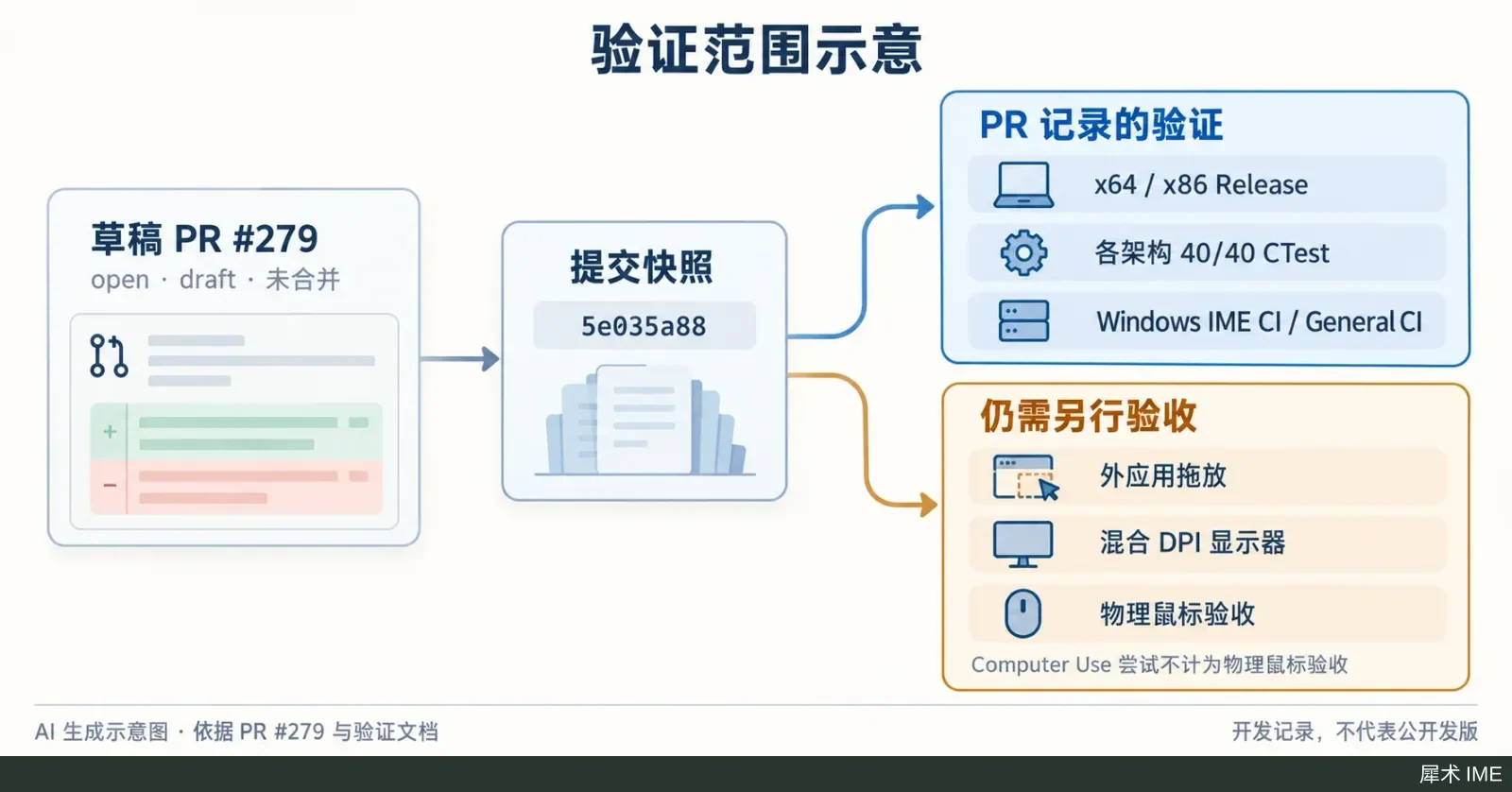
This article corresponds to snapshot 5e035a88 of the branch codex/windows-parity-20261023. Four commits cover, in order, the main alignment (691dc90), visible paging and first-commit metrics (4d7e69d), time limits and diagnostics for the native settings tests (7f54046), and screenshot cards with hover redraw (5e035a88). Underneath, a serial migration of the learned lexicon was added, along with a safe stop and start during maintenance, and the Unicode-metric initialization required for the first commit was moved earlier.
On the PR’s record for 5e035a88, local Release builds for x64 and x86 passed, and each passed its CTest check at 40 of 40. Windows IME CI passed for Release on both architectures, for the isolated input test, and for installer verification, and General CI passed as well. The PR also records that development package 1.1.8-preview.2026102402 was installed on that machine, that seven installed binaries matched the final build, that the source files matched the frozen snapshot, and that settings and the retained history, plugins, and metrics files matched the backup taken before installation. These are results recorded in the repository. They are not a new test run for this article, and they do not mean the development package is publicly offered for download.
A failure was not erased by a later successful rerun. One local x86 settings test that overlapped another process failed a focus assertion and timed out. The full x86 suite, with no code change, then passed under isolation. The follow-up document also keeps anomalies that had not been fully explained. A successful rerun does not by itself prove their cause.
Verification still has a boundary. New Mailbox features, and capabilities that are unavailable on their own, are outside this round. Computer Use could not enumerate an inactive screenshot-tool window, so this attempt does not count as acceptance with a physical mouse. Drag and drop from other applications, mixed-DPI displays, and behavior in every ordinary desktop application still need a separate acceptance pass.
The PR was still open, still a draft, and still unmerged. The text states explicitly that no public release and no merge were carried out. An ordinary user should not read this log as notice of a Windows stable release or a store update. An existing stable installation is also outside the scope of the development snapshot described here.
At the time this was checked, the latest formal GitHub release was still v1.1.8 of 23 October. The latest merge on main was still that day’s iOS 1.1.9 work (#278). This Windows draft had not been merged.
Sources
- PR #279: fix(windows): align Buffer, Capsule, candidates and settings
- Commits: 691dc90, 4d7e69d, 7f54046, 5e035a88
- Screenshot-stack and hover-alignment record (5e035a88)
- Windows parity follow-up (5e035a88)
- CI named on the PR: Windows IME CI, General CI. This article did not rerun them independently.
- Formal release v1.1.8
- Latest main commit b3d1826
References
- Xishu IME.
- Compiled and published by Scholay. For a takedown request, send feedback.
- Also published at Enter Scholar.