The longer the old Weiyin input method was used, the slower typing became, and only clearing the learning memory restored the old speed. Memory that had been deleted or faded out also came back after a restart. Weiyin 4.9.0 for macOS, released on 14 October 2026, fixes both faults. The cap of 500 learning memories now actually takes effect, and a deletion still holds after a restart. The new version also adds double-pinyin input, which has to be turned on by hand in preferences.
Close-up of a black keyboard. Photo: Computer Keyboard - stock photo, by espensorvik, CC BY 2.0. The Flickr original is 3872×2592. The copy on this site is 1023×723 and adds a bottom “犀术 IME” strip.
Where the slowdown was stuck
The old version already set a cap of 500 learning memories. Records replayed from the log at startup never entered the eviction queue (LRU), so entries came in and did not go out. Every keystroke then had to scan and parse the whole memory. The more data, the greater the delay. Version 4.9.0 adds three indexes, by the original reading, the reading with tone removed, and segments of the reading, and it caches parsed results. The cap is applied at all three entrances: reading a snapshot, replaying the log, and writing a new memory. Records already over the cap are evicted from oldest to newest by timestamp.
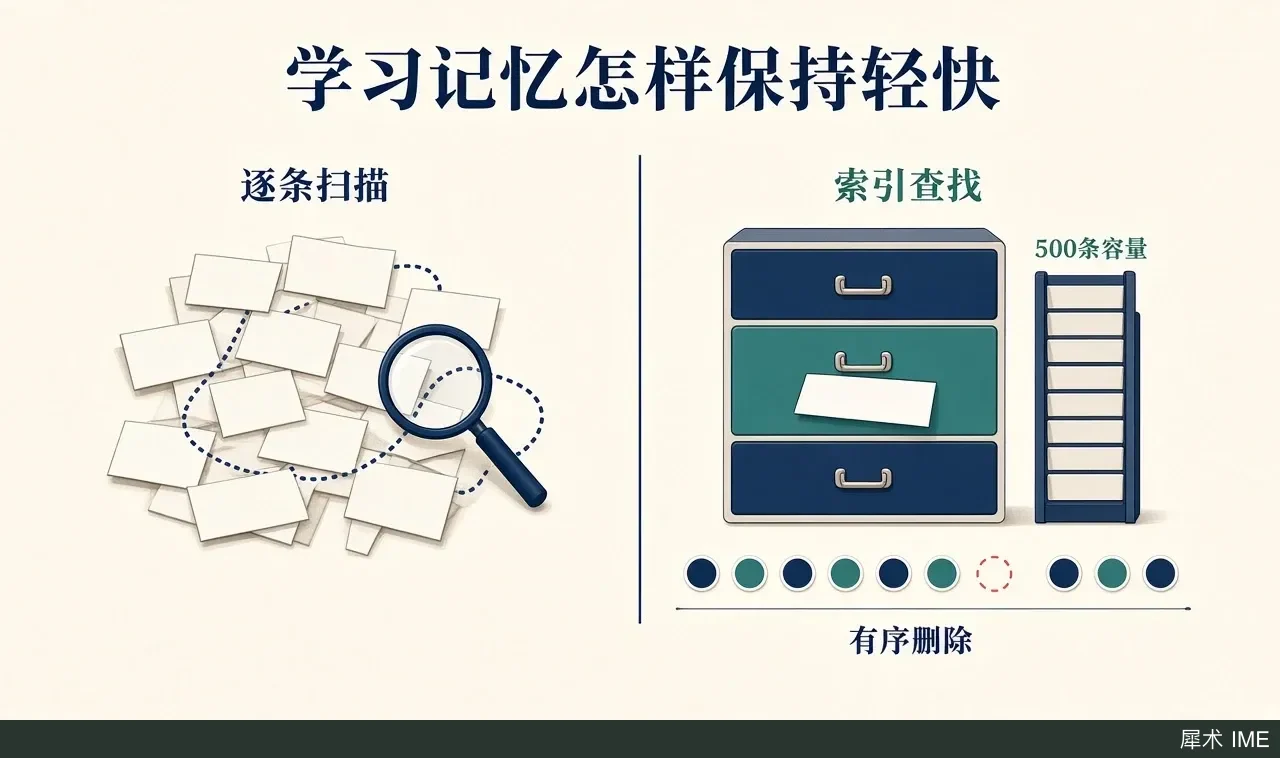
Learning memory is now looked up through an index, so the capacity limit and the deletion record take effect. AI-generated schematic. The public file is 1280×758 and includes a bottom “犀术 IME” strip. The picture contrasts scanning cards one by one with an indexed drawer, a stack marked as a capacity of 500, and ordered deletion.
Why a deleted memory came back
The second fault was quieter. A learning memory that had been evicted or had already faded out returned the next time the input method started. The problem was how the log was written. The old version recorded “delete this memory” as “this key does not exist,” and “does not exist” could mean either that it was never stored or that it had just been deleted. On replay the program could not tell the two apart, so every deletion instruction did nothing.
Another problem was that “delete” and “record” shared a two-second throttle. When a record was written late, the program still read the latest value in the memory table. A deletion cannot be recovered from “the key is already absent.” Miss it once, and a record in an old snapshot or in the log can come back on restart.
Version 4.9.0 turns the log into an ordered list of changes, with only three actions: clear, record, and delete. On load, each entry is applied in the order it happened. “Clear” voids the changes before it and also clears what is in the snapshot. The two-second throttle on deletion is removed as well. A deleted memory does not reappear after a restart.
How to turn double pinyin on, and how to use it
Double pinyin types a whole syllable with two keys in a fixed order. The two codes correspond to one pinyin reading, without tone. Zhuang takes six keys in full pinyin and two in double pinyin. The more long syllables, the more keystrokes saved.
The feature has to be turned on by hand. Open Weiyin input-method preferences, then keyboard settings, turn on double pinyin so that it applies to pinyin typing, and choose a scheme. Weiyin includes the Microsoft double-pinyin scheme and the GB/T national-standard scheme. For Xiaohe, natural double pinyin, Sogou, and similar schemes, the scheme editor on the same page can be used, or a ready-made JSON scheme file can be downloaded from the Weiyin site.
Daily typing differs from full pinyin in two places. If two keys do not form a legal double-pinyin code, Weiyin beeps, shows a red prompt, and discards those two keys. After a pair is complete, one backspace deletes the whole syllable. If only the first key has been typed, backspace undoes that one code.
Source: Weiyin input method, vChewing-macOS 4.9.0 release notes, ShikiSuen, 14 October 2026.